What is Hoisting in JS
Does JavaScript really move your code to the top? Not quite. Learn the simple logic behind Hoisting, the 'Parsing Phase', and why variables act the way they do.
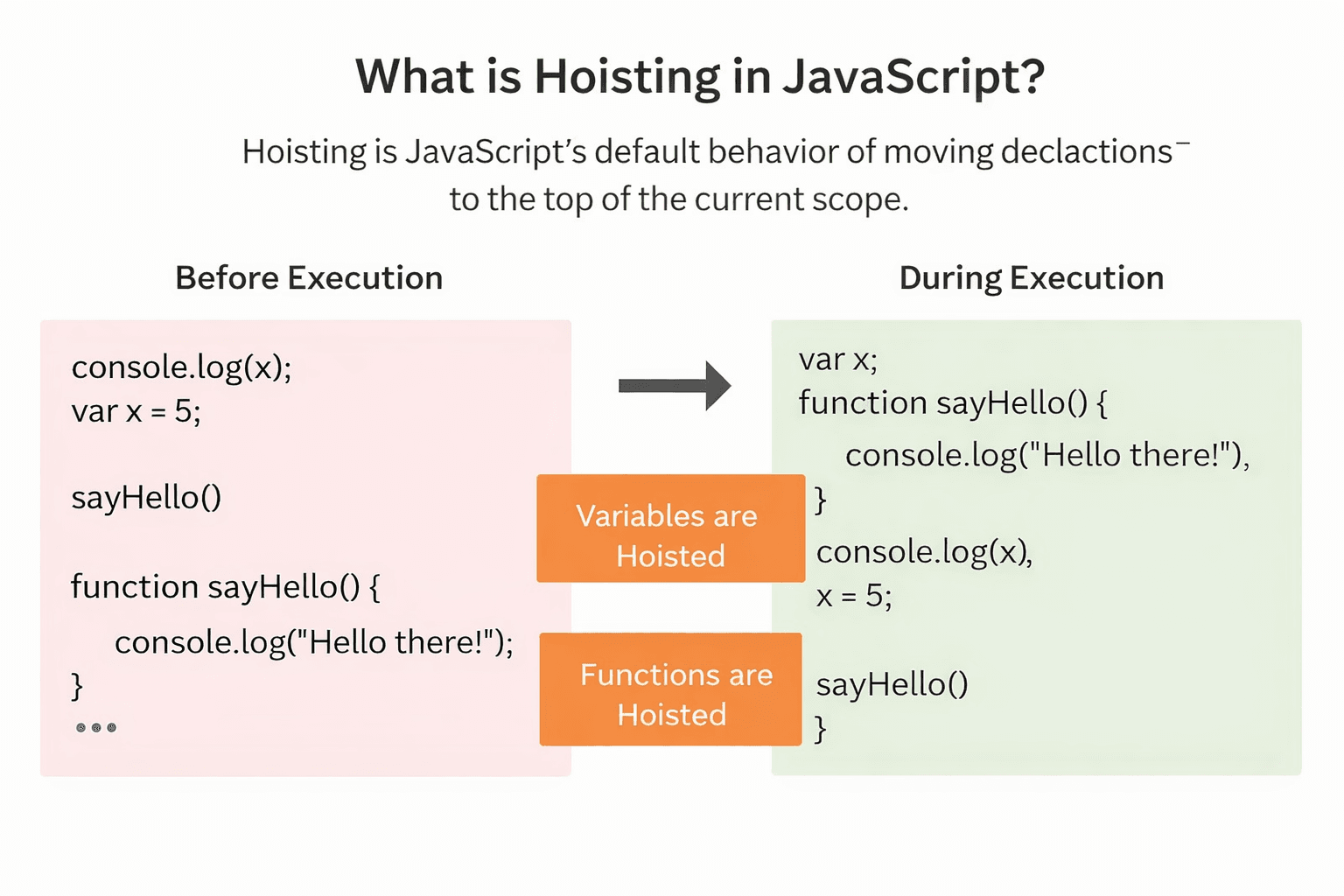
Hoisting is just a fancy word to explain how JavaScript handles your variables.
When you use var, imagine JavaScript moving the declaration (the name) to the very top of your code. This is what we call "hoisting".
Important: It only moves the name, not the value. If you set var x = 10, JavaScript remembers "there is a variable named x", but it doesn't know it equals 10 yet.
It doesn't actually "move" your code lines. The engine just scans your file first to find all variables before it runs anything. But thinking of it as "moving to the top" makes it easier to understand.
Let's look at some examples. (Note: These act slightly differently in modules vs strict mode, but the concept is the same).
Under the Hood: The Two Phases
To understand why this happens, you need to know that JavaScript runs your code in two steps:
-
**Phase 1: Creation Phase (or Memory Allocation Phase) ** Before running a single line, the engine scans your entire file. It finds all variable and function declarations and sets up memory for them.
var: Created and set toundefined.let/const: Created but left "uninitialized".
-
Phase 2: Execution Phase (or Code Execution Phase) Now the engine runs your code line-by-line.
1. Variable Hoisting (var)
When the engine sees a var declaration in Phase 1, it:
- Allocate memory for the variable name.
- Automatically initializes it to
undefined.
console.log(age); // undefined
var age = 30;
console.log(age); // 30
What the Engine Does:
- Phase 1: Sees
var age. Allocates memory. Sets value toundefined. - Phase 2 (Line 1): Logs current value (
undefined). - Phase 2 (Line 2): Assigns
30toage. - Phase 2 (Line 3): Logs
30.
2. Block-Scoped Hoisting (let & const)
Here is where it gets tricky. let and const ARE HOISTED.
However, unlike var, they are not initialized.
console.log(score); // ReferenceError: Cannot access 'score' before initialization
let score = 10;
Why aren't let and const initialized?
The reason let and const are not initialized with a default value (unlike var) is a deliberate design choice introduced in ES6 to make JavaScript more predictable and help developers catch errors earlier.
1. Eliminating "Silent" Bugs
With var, accessing a variable before its declaration results in undefined rather than an error. This often leads to silent bugs where a program continues to run with "garbage" data instead of failing immediately. By leaving let and const uninitialized, JavaScript forces a ReferenceError if you try to use them too early, alerting you to the mistake during development.
2. Supporting const Integrity
The keyword const is designed for values that cannot be changed after their initial assignment. If const were auto-initialized to undefined like var, it would technically already have a value. Assigning your actual value later would then look like a reassignment, which const does not allow. Therefore, const must remain uninitialized until the exact line where you provide its one and only value.
3. The Temporal Dead Zone (TDZ)
This uninitialized state creates what is known as the Temporal Dead Zone (TDZ).
- Hoisting still happens: The engine is aware the variable exists as soon as the block starts.
- Access is blocked: The engine places the variable in a restricted state (the TDZ) until the execution thread physically reaches the declaration line.
- Accessing it throws a
ReferenceError: This prevents you from accessing them before initialization.
Proof they are hoisted:
If they weren't hoisted, the engine would look at the global scope for score. Instead, it sees the local score (hoisted) and throws an error because it recognizes it exists but is currently in the TDZ. If it weren't hoisted, it would either find a global variable or throw a "not defined" error instead of "cannot access before initialization".
3. Function Hoisting
Function Declarations (Fully Hoisted)
Function declarations are special. In Phase 1, the engine stores the entire function definition in memory. This is why you can call them before you define them.
greet(); // "Hello!"

function greet() {
  console.log('Hello!');
}
Function Expressions (Behave like Variables)
If you assign a function to a var, let, or const, it behaves like that variable type.
// Case A: var
console.log(sayHi); // undefined
var sayHi = function () {
  console.log('Hi');
};

// Case B: const
sayHello(); // ReferenceError
const sayHello = () => {
  console.log('Hello');
};
In Case A, sayHi is hoisted as undefined. Trying to call undefined() would throw TypeError: sayHi is not a function.
4. Class Hoisting
Classes in JavaScript behave like let and const. They are hoisted but remain uninitialized (TDZ).
const p = new Person(); // ReferenceError

class Person {}
Summary Cheat Sheet
| Declaration Type | Hoisted? | Initial Value | Accessing Before Line 1? |
|---|---|---|---|
var | Yes | undefined | Returns undefined |
let / const | Yes | (Uninitialized) | Throws ReferenceError (TDZ) |
function | Yes | The Function Body | Works Perfectly |
class | Yes | (Uninitialized) | Throws ReferenceError |
import | Yes | - | Hoisted to top of module |
Best Practice:
Never rely on hoisting for variables (var). Always declare let/const at the top of your scopes. However, relying on Function Hoisting (calling helper functions at the top, defining them at the bottom) is a common and clean pattern in JavaScript.