useRef Beyond DOM Access
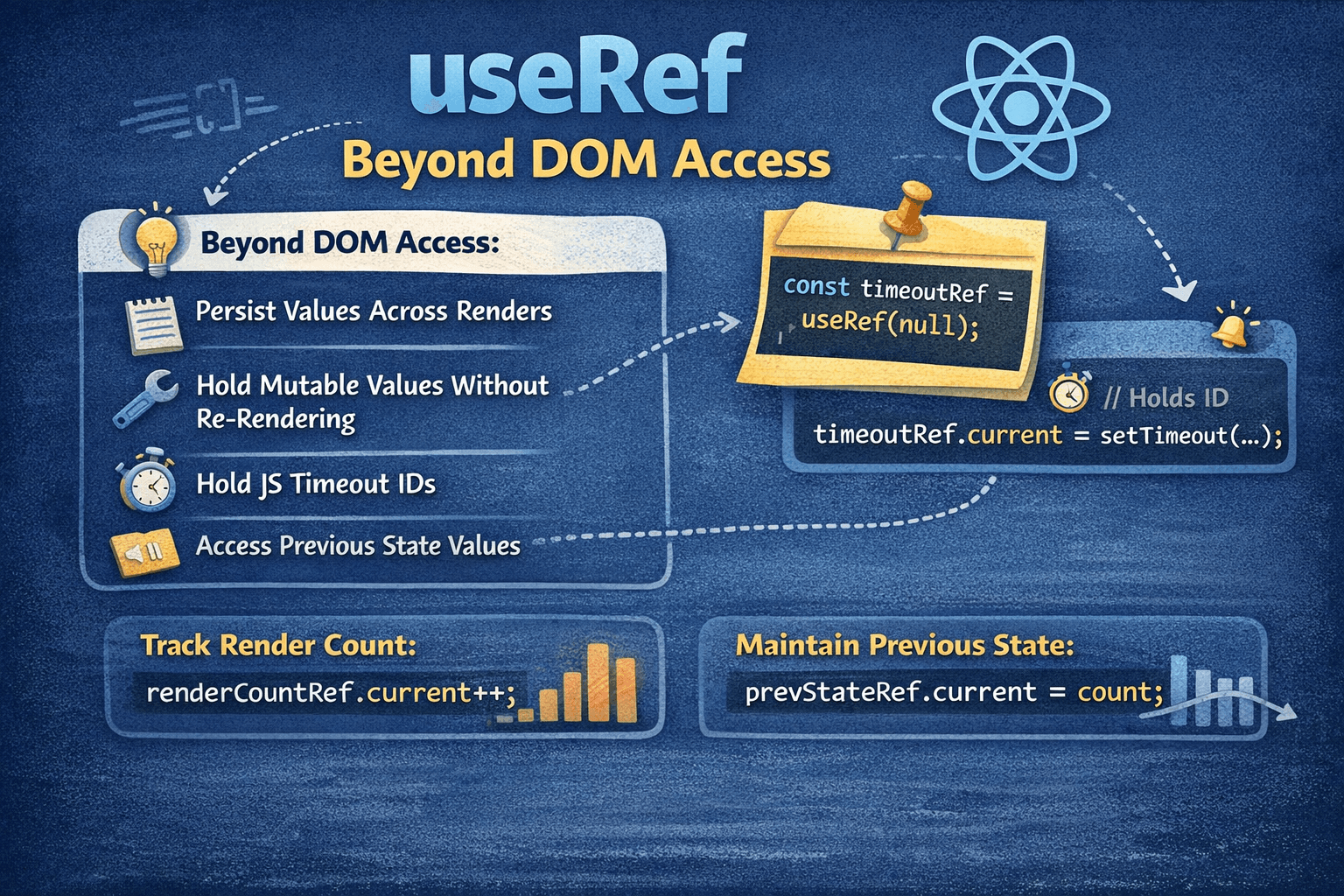
useRef is a mutable container that persists across renders without triggering re-renders. This property makes it essential for DOM access, but equally powerful for storing any value that needs to survive re-renders without affecting the render cycle.
What useRef Actually Does
When you call useRef(initialValue), React creates an object with a single property:
{
  current: initialValue;
}
This object has two critical behaviors:
- Persists across renders — The same object reference is returned on every render
- Mutations don't trigger re-renders — Changing
.currentdoes nothing to React's render cycle
function Demo() {
  const countRef = useRef(0);

  function handleClick() {
    countRef.current += 1;
    console.log(countRef.current); // Updates immediately
    // But no re-render occurs!
  }

  return <button onClick={handleClick}>Clicks: {countRef.current}</button>;
}
In this example, clicking the button increments countRef.current, but the displayed number never changes because React doesn't know the value changed. This is not a bug — it's the intended behavior.
Part 1: DOM Access (The Common Use Case)
The most recognized use of useRef is getting a reference to a DOM element:
function TextInput() {
  const inputRef = useRef(null);

  function focusInput() {
    inputRef.current.focus();
  }

  return (
    <>
      <input ref={inputRef} type="text" />
      <button onClick={focusInput}>Focus the input</button>
    </>
  );
}
How This Works
- You create a ref with
useRef(null) - You attach it to an element via the
refattribute - React populates
inputRef.currentwith the actual DOM node after mounting - You access the DOM node through
inputRef.current
Timing Consideration
The ref is null during the initial render because the DOM node doesn't exist yet:
function BadExample() {
  const inputRef = useRef(null);

  // ❌ This runs before the DOM is ready
  console.log(inputRef.current); // null on first render

  useEffect(() => {
    // ✅ This runs after the DOM is mounted
    console.log(inputRef.current); // <input> element
  }, []);

  return <input ref={inputRef} />;
}
Always access ref DOM elements inside useEffect, event handlers, or callbacks — never during the render phase.
Callback Refs for Dynamic Elements
When you need to know precisely when a ref attaches or detaches, use a callback ref:
function MeasuredComponent() {
  const [height, setHeight] = useState(0);

  const measuredRef = useCallback((node) => {
    if (node !== null) {
      setHeight(node.getBoundingClientRect().height);
    }
  }, []);

  return (
    <>
      <div ref={measuredRef}>Content that we want to measure</div>
      <p>Height: {height}px</p>
    </>
  );
}
The callback receives the DOM node when it mounts and null when it unmounts. This is useful for:
- Measuring elements after render
- Setting up observers (ResizeObserver, IntersectionObserver)
- Conditionally rendered elements
Part 2: useRef Beyond DOM Access
This is where useRef becomes genuinely powerful. Any value that needs to:
- Persist across renders
- NOT trigger re-renders when changed
- Be mutable
...is a candidate for useRef.
Use Case 1: Storing Timer/Interval IDs
Timers are the most common non-DOM use case:
function Stopwatch() {
  const [seconds, setSeconds] = useState(0);
  const [isRunning, setIsRunning] = useState(false);
  const intervalRef = useRef(null);

  const start = () => {
    if (intervalRef.current) return; // Already running

    setIsRunning(true);
    intervalRef.current = setInterval(() => {
      setSeconds((s) => s + 1);
    }, 1000);
  };

  const stop = () => {
    clearInterval(intervalRef.current);
    intervalRef.current = null;
    setIsRunning(false);
  };

  const reset = () => {
    stop();
    setSeconds(0);
  };

  // Cleanup on unmount
  useEffect(() => {
    return () => clearInterval(intervalRef.current);
  }, []);

  return (
    <div>
      <p>{seconds} seconds</p>
      <button onClick={start} disabled={isRunning}>
        Start
      </button>
      <button onClick={stop} disabled={!isRunning}>
        Stop
      </button>
      <button onClick={reset}>Reset</button>
    </div>
  );
}
Why useRef here?
- The interval ID must persist across renders (useState could do this)
- Changing the interval ID shouldn't trigger a re-render (useState can't do this)
- We need immediate access to the current ID in cleanup (useState gives stale values in closures)
Use Case 2: Tracking Previous Values
React doesn't provide a built-in way to access a value from the previous render. useRef solves this:
function PriceTracker({ price }) {
  const prevPriceRef = useRef(price);

  useEffect(() => {
    prevPriceRef.current = price;
  });

  const prevPrice = prevPriceRef.current;
  const trend = price > prevPrice ? '📈' : price < prevPrice ? '📉' : '➡️';

  return (
    <div>
      <span>
        {trend} ${price}
      </span>
      <span className="muted"> (was ${prevPrice})</span>
    </div>
  );
}
How this works:
- On render,
prevPriceRef.currentstill holds the old value - We read and display it
- After render, the effect updates the ref to the new value
- Next render, the ref contains what was "current" last time
This pattern is so common that you might extract it into a custom hook:
function usePrevious(value) {
  const ref = useRef();

  useEffect(() => {
    ref.current = value;
  });

  return ref.current;
}

// Usage
function Component({ count }) {
  const prevCount = usePrevious(count);
  return (
    <p>
      Current: {count}, Previous: {prevCount}
    </p>
  );
}
Use Case 3: Avoiding Stale Closures
Closures in React often capture stale values. useRef provides an escape hatch:
function ChatRoom({ roomId }) {
  const [message, setMessage] = useState('');

  // ❌ Problem: This callback captures the initial message value
  const sendMessage = useCallback(() => {
    sendToServer(roomId, message); // message is stale!
  }, [roomId]); // We can't add message or it defeats the purpose

  // ...
}
Solution with useRef:
function ChatRoom({ roomId }) {
  const [message, setMessage] = useState('');
  const messageRef = useRef(message);

  // Keep the ref in sync
  useEffect(() => {
    messageRef.current = message;
  }, [message]);

  // ✅ Always reads the latest message
  const sendMessage = useCallback(() => {
    sendToServer(roomId, messageRef.current);
  }, [roomId]);

  // ...
}
The callback's reference stays stable (good for performance), but it always accesses the latest message value through the ref.
Use Case 4: Tracking Component Mount Status
Sometimes you need to know if a component is still mounted:
function UserProfile({ userId }) {
  const [user, setUser] = useState(null);
  const isMountedRef = useRef(true);

  useEffect(() => {
    return () => {
      isMountedRef.current = false;
    };
  }, []);

  useEffect(() => {
    fetchUser(userId).then((data) => {
      // Only update state if still mounted
      if (isMountedRef.current) {
        setUser(data);
      }
    });
  }, [userId]);

  if (!user) return <p>Loading...</p>;
  return <h1>{user.name}</h1>;
}
Note: In modern React with Suspense and proper cleanup, this pattern is less necessary. But it's still useful when working with external libraries or legacy code.
Use Case 5: Storing Instance Variables
In class components, you'd store things on this. In function components, use refs:
function VideoPlayer({ src }) {
  const playerInstanceRef = useRef(null);
  const videoElementRef = useRef(null);

  useEffect(() => {
    // Initialize third-party video player
    playerInstanceRef.current = new FancyVideoPlayer(videoElementRef.current, {
      autoplay: false,
      controls: true,
    });

    return () => {
      playerInstanceRef.current.destroy();
    };
  }, []);

  const play = () => playerInstanceRef.current.play();
  const pause = () => playerInstanceRef.current.pause();

  return (
    <div>
      <video ref={videoElementRef} src={src} />
      <button onClick={play}>Play</button>
      <button onClick={pause}>Pause</button>
    </div>
  );
}
Use Case 6: Debouncing Without Dependencies
function SearchInput({ onSearch }) {
  const [query, setQuery] = useState('');
  const timeoutRef = useRef(null);

  const handleChange = (e) => {
    const value = e.target.value;
    setQuery(value);

    // Clear previous timeout
    clearTimeout(timeoutRef.current);

    // Set new timeout
    timeoutRef.current = setTimeout(() => {
      onSearch(value);
    }, 300);
  };

  // Cleanup on unmount
  useEffect(() => {
    return () => clearTimeout(timeoutRef.current);
  }, []);

  return <input value={query} onChange={handleChange} />;
}
Use Case 7: Counting Renders (Debugging)
function DebugComponent() {
  const renderCount = useRef(0);
  renderCount.current += 1;

  console.log(`Render #${renderCount.current}`);

  return <div>Check console for render count</div>;
}
This is purely for debugging — the count never displays because changing a ref doesn't trigger re-renders.
useRef vs useState: Decision Framework
| Question | If Yes → Use | If No → Use |
|---|---|---|
| Should changing this value update the UI? | useState | useRef |
| Do I need the latest value in event handlers/callbacks? | useRef | useState is fine |
| Is this a DOM element reference? | useRef | N/A |
| Is this a timer/interval ID? | useRef | N/A |
| Do I need the previous render's value? | useRef | N/A |
Concrete Comparison
function Comparison() {
  // useState: Change triggers re-render, good for UI values
  const [visibleCount, setVisibleCount] = useState(0);

  // useRef: Change doesn't trigger re-render, good for "behind the scenes" values
  const totalClicksRef = useRef(0);

  const handleClick = () => {
    totalClicksRef.current += 1; // Tracked but not displayed
    setVisibleCount((c) => c + 1); // Tracked and displayed
  };

  console.log(`Total clicks (from ref): ${totalClicksRef.current}`);

  return (
    <div>
      <p>Visible count: {visibleCount}</p>
      <button onClick={handleClick}>Click me</button>
    </div>
  );
}
Common Mistakes
Mistake 1: Reading/Writing Refs During Render
// ❌ BAD: Modifying ref during render
function Bad() {
  const countRef = useRef(0);
  countRef.current += 1; // Side effect during render!
  return <div>{countRef.current}</div>;
}

// ✅ GOOD: Modify refs in effects or event handlers
function Good() {
  const countRef = useRef(0);

  useEffect(() => {
    countRef.current += 1; // Safe: in an effect
  });

  return <div>Check console</div>;
}
The render phase should be pure. Reading is generally safe; writing is not.
Mistake 2: Using Refs As Reactive State
// ❌ BAD: Expecting UI to update when ref changes
function Bad() {
  const nameRef = useRef('Alice');

  const changeName = () => {
    nameRef.current = 'Bob';
    // UI still shows "Alice"!
  };

  return (
    <div>
      <p>{nameRef.current}</p>
      <button onClick={changeName}>Change name</button>
    </div>
  );
}

// ✅ GOOD: Use state for values that should update UI
function Good() {
  const [name, setName] = useState('Alice');

  const changeName = () => {
    setName('Bob'); // UI updates correctly
  };

  return (
    <div>
      <p>{name}</p>
      <button onClick={changeName}>Change name</button>
    </div>
  );
}
Mistake 3: Forgetting Ref Cleanup
// ❌ BAD: Interval continues after unmount
function Bad() {
  const intervalRef = useRef(null);

  useEffect(() => {
    intervalRef.current = setInterval(() => {
      console.log('tick');
    }, 1000);
    // No cleanup!
  }, []);

  return <div>...</div>;
}

// ✅ GOOD: Always cleanup
function Good() {
  const intervalRef = useRef(null);

  useEffect(() => {
    intervalRef.current = setInterval(() => {
      console.log('tick');
    }, 1000);

    return () => clearInterval(intervalRef.current);
  }, []);

  return <div>...</div>;
}
Advanced Pattern: Combining Ref and State
Sometimes you need both behaviors — a value that triggers re-renders AND is accessible without stale closure issues:
function useStateWithRef(initialValue) {
  const [state, setState] = useState(initialValue);
  const ref = useRef(state);

  useEffect(() => {
    ref.current = state;
  }, [state]);

  return [state, setState, ref];
}

// Usage
function Component() {
  const [count, setCount, countRef] = useStateWithRef(0);

  const handleDelayedLog = () => {
    setTimeout(() => {
      // countRef.current always has the latest value
      console.log('Current count:', countRef.current);
    }, 3000);
  };

  return (
    <div>
      <p>{count}</p>
      <button onClick={() => setCount((c) => c + 1)}>Increment</button>
      <button onClick={handleDelayedLog}>Log count in 3s</button>
    </div>
  );
}
Summary
useRef is fundamentally a mutable container that persists across renders. DOM access is just one application of this property.
Use useRef when you need to:
- Access DOM elements
- Store timer/interval IDs
- Track previous values
- Avoid stale closures in callbacks
- Store any mutable value that shouldn't trigger re-renders
Key principles:
- Changing
.currentnever triggers a re-render - Don't write to refs during render (effects and event handlers only)
- Always cleanup refs that hold external resources